How to Run a 15-Minute Stand-Up Meeting (Without Wasting Everyone's Time)
A step-by-step guide to daily scrum best practices, time-boxing tips, and proven frameworks to keep your standup meeting under 15 minutes.
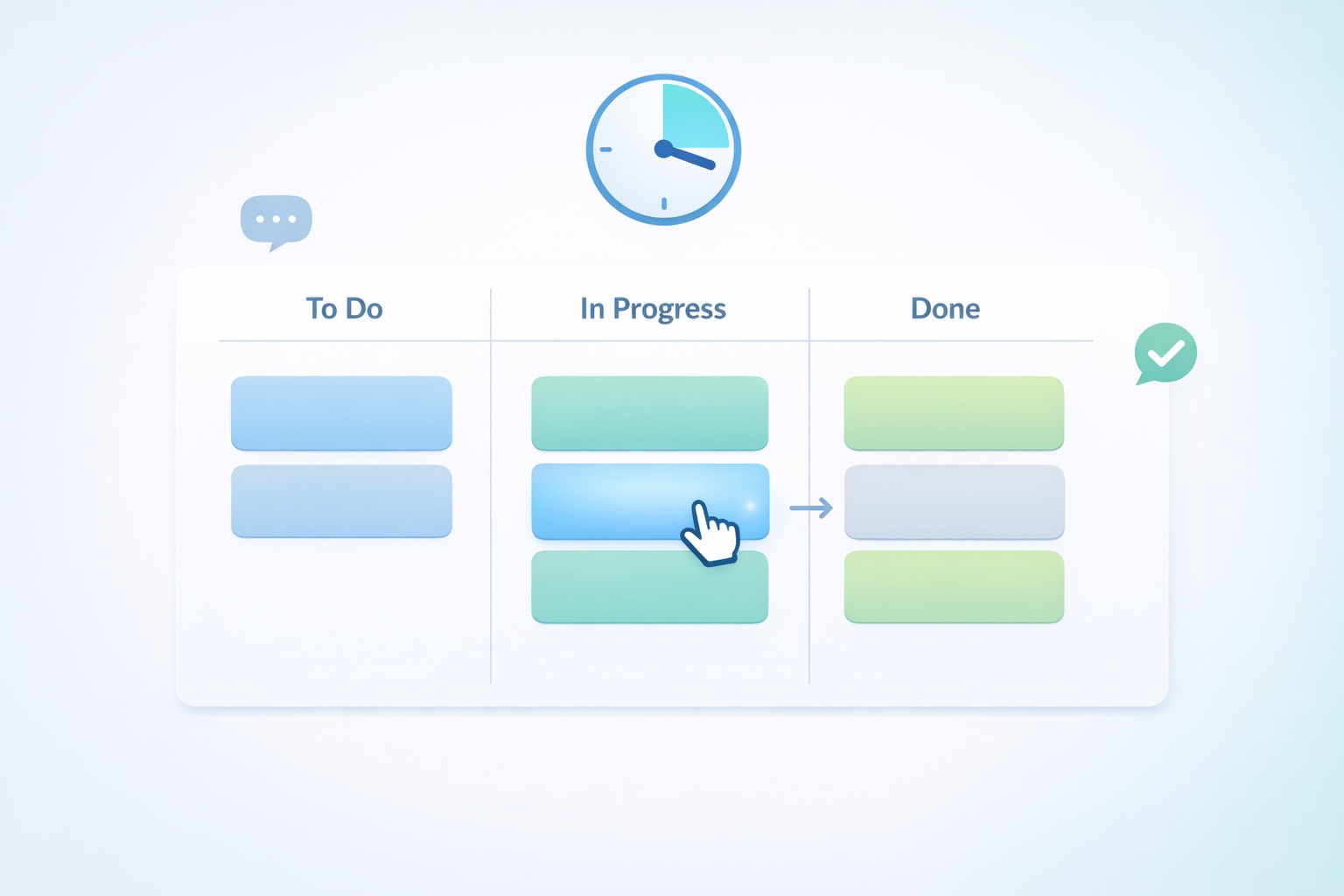
TL;DR: A 15-minute stand-up meeting should focus on team synchronization and identifying blockers, not status reporting to a manager. Keep it tight by using a visual timer, walking through your project board instead of going person-by-person, and moving any deep discussions to a "parking lot" session immediately after. Preparation before the meeting is what makes the 15 minutes actually work.
If you've ever been stuck in a "quick sync" that somehow turned into a 45-minute rambling session, you're not alone. Studies show that 71% of senior managers view meetings as unproductive, and organizations spend up to 15% of their collective time sitting in them. The daily stand-up was designed to be the antidote to all of that, a fast, focused check-in that keeps your team aligned and moving.
But here's the thing: most stand-ups fail. Not because the format is broken, but because teams run them wrong. Let's fix that.
What a Stand-Up Meeting Actually Is (And Isn't)
The daily stand-up comes from Agile and Scrum methodologies, where it's officially called the "Daily Scrum." It's a 15-minute time-boxed event designed for one thing: team synchronization.
That means it's a peer-to-peer alignment meeting. Your teammates are the audience, not your boss.
A stand-up is for:
- Sharing what's moving forward and what's stuck
- Identifying blockers so they can be resolved quickly
- Coordinating hand-offs between team members
A stand-up is NOT for:
- Justifying how you spent your day to a manager
- Deep-diving into technical problems
- Making decisions that require lengthy discussion
Here's the golden rule worth tattooing on your brain: if you're solving a complex problem during the stand-up, you're doing it wrong. The meeting is for identifying the problem. Solving it happens afterward.
Why 15 Minutes Specifically?
The strict time limit isn't arbitrary. It does three important things:
- Creates urgency. People naturally tighten up their communication when they know the clock is ticking.
- Forces preparation. When you only have 90 seconds to speak, you can't wing it. You have to know what you're going to say before you walk in.
- Prevents derailing. There's simply no room for tangents when you're watching the minutes count down.
If your stand-ups regularly run over 15 minutes, that's a signal something structural needs to change, not that you need more time. Curious what all that extra meeting time actually costs your team? Try running the numbers through a meeting cost calculator, it can be a real eye-opener.
Step-by-Step: How to Run a Tight 15-Minute Stand-Up
Step 1: Lock In the Time and Format
Set a recurring calendar invite for the exact same time every single day. Consistency matters because it removes decision fatigue and builds a habit.
A small but effective trick: schedule it at an odd time like 9:45 AM instead of 10:00. Choosing an off-hour time subtly signals that this is a quick, precision-based sync, not a standard meeting block.
If you're in person, actually stand up. It sounds silly, but standing physically prevents people from settling in and getting comfortable enough to ramble. For remote teams, cameras on helps replicate that sense of presence and accountability.
Step 2: Require Pre-Meeting Preparation
This is the step most teams skip, and it's the one that makes the biggest difference.
Before the stand-up even starts, every team member should have reviewed their task board and know exactly what they're going to say. Nobody should be squinting at their screen during the meeting trying to remember what they worked on yesterday.
One way to enforce this: use a bot (like Geekbot or Range) that pings your team in Slack or Microsoft Teams about 30 minutes before the meeting. The bot asks each person to type out quick answers to the classic three questions:
- What did I complete since last time?
- What am I working on today?
- What's blocking me?
When the live meeting starts, those written updates serve as the baseline. The actual 15 minutes are spent strictly on hand-offs, blockers, and coordination, not recapping.
Step 3: Walk the Board, Don't Go Around the Room
Here's where good stand-ups separate from mediocre ones.
The traditional format, going person by person around the room, tends to turn into a status report. Each person talks at the group, everyone else zones out until it's their turn, and the meeting becomes a circle of mini-monologues.
Instead, try "walking the board." Share your screen showing your Jira, Trello, Asana, or whatever project board your team uses. Filter it to show items that are "In Progress" or "Blocked."
Start with the tasks closest to the finish line. Point to a specific card and ask: "This is in QA review. What do we need to get it shipped today?" Then work backward through the board.
This approach shifts the conversation from "what are you busy with?" to "what's moving the project forward?" It keeps the focus on the work, not the worker, and it naturally surfaces dependencies and blockers without anyone having to awkwardly raise their hand.
Step 4: Use a Visible Timer
Do not trust anyone's internal clock. Use a real, visible timer. If your team already uses the Pomodoro Technique for focused work sessions, you know how powerful a ticking clock can be for maintaining discipline.
Assign a rotating "Timekeeper" role on your team. This person is responsible for keeping things moving and has full permission to interrupt politely when someone goes over their time.
A practical framework: give each participant roughly 90 seconds. For a team of eight people, that's 12 minutes of individual updates, leaving 3 minutes for quick clarifications. If any topic requires more than 90 seconds of discussion, the Timekeeper moves it to the "Parking Lot."
If you're on Zoom or Google Meet, use a timer app plugin displayed on the shared screen so everyone can see the countdown. It feels a little intense the first few times, but teams quickly adapt and start appreciating the discipline.
Step 5: Master the "Parking Lot" Technique
This is the single most important moderation tool for keeping your stand-up on track.
Here's how it works: when two people start diving into a technical discussion or a complex problem, the facilitator interrupts and says, "Let's put this in the parking lot."
The "Parking Lot" is a dedicated time immediately after the 15-minute stand-up where only the people involved in that specific issue stay behind. Everyone else is free to leave and get back to work.
Keep a running list of parking lot items, either on a whiteboard, a shared doc, or just in the meeting chat. At the end of the stand-up, quickly read back the list and confirm who needs to stay for each item.
This technique does two things brilliantly: it respects the time of people who don't need to be part of the discussion, and it still ensures the problem gets addressed right away rather than falling through the cracks.
What About Remote or Global Teams?
If your team spans multiple time zones, forcing everyone into a synchronous 15-minute window might do more harm than good. This is where asynchronous stand-ups come in.
The concept is simple: instead of meeting live, each team member posts their update in a dedicated Slack or Teams channel at the start of their own workday. Tools like Geekbot can automate this by prompting each person at their local morning time.
The facilitator or team lead then reviews all the updates and flags anything that needs a live conversation. Only those flagged items get a quick synchronous call, if needed at all.
Async stand-ups work surprisingly well for distributed teams because they eliminate the timezone penalty while still providing daily visibility into what everyone is working on.
FAQ
A well-run 15-minute stand-up is one of the highest-ROI meetings your team can have. It just takes a bit of structure, a timer, and the discipline to save the deep conversations for after the clock stops. And if you're looking for ways to make the first few minutes of any meeting more engaging, check out some icebreaker games that actually work.
ttime
Your work tracks itself. You track the revenue.
Tools
Pomodoro TimerAmbient NoiseTime Card GeneratorMeeting Cost CalculatorProject Cost Estimate CalculatorWorking Days CalculatorFreelance Job FinderBlog
Latest ArticlesThe Freelancer's Guide to Retirement PlanningHow to Say No to Client Requests Without Burning BridgesHow to Negotiate a Rate Increase With Existing ClientsHow to Fire a Bad Client Professionally (And Walk Away Clean)Freelance Contracts 101: Clauses You Should Never Skip© 2026 ttime. All rights reserved.
Built with ♥ for freelancers, by freelancers.